
Leases and contracts, signed online.
Upload a PDF, choose who signs and where, and DocuTrack sends each signer their own link on WhatsApp or by email. They confirm it is them with a one-time code and sign on their phone or computer. Once they have all signed, each of them gets the signed document — sealed, with a signing certificate as its last page.
- A link per signer, on WhatsApp or email
- A one-time code to confirm it is them
- Signatures drawn or typed, initials, dates and ticks
- A sealed PDF with its signing certificate
From PDF to signed, in four steps.
- Step 1
Upload the PDF
A lease, an employment contract, a mandate or an agreement. Give it the name signers will see.
- Step 2
Add the people
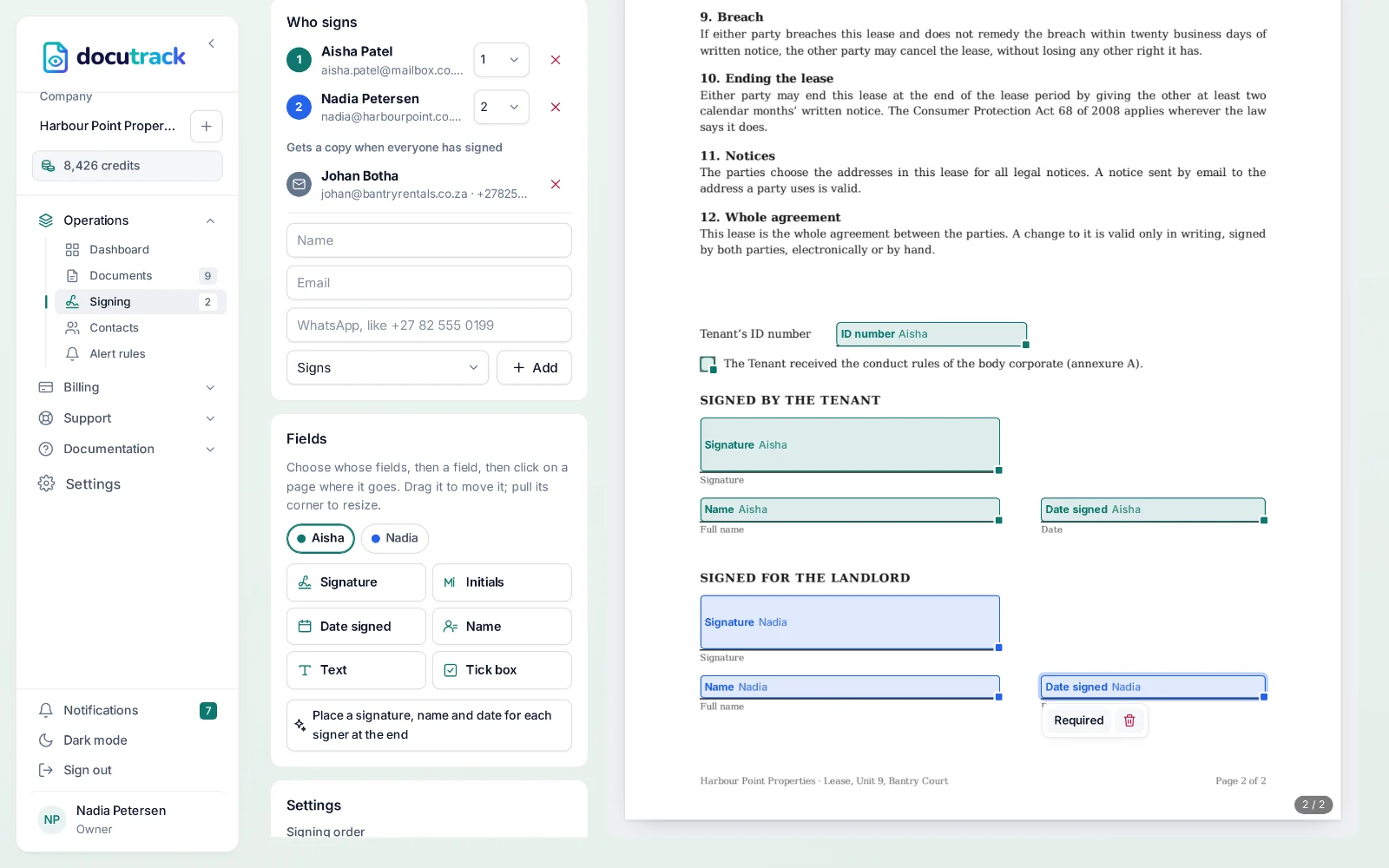
Who signs — all at once, or one after another in the order you set — and anyone who only needs the signed copy.
- Step 3
Place the fields
Click where each signer signs, initials, dates, writes their name, fills in a text or ticks a box, then drag the fields into place.
- Step 4
Send it
Each signer gets their link, with reminders until they sign, and you see each signature arrive.
For the signer
No account, no app, no printer.
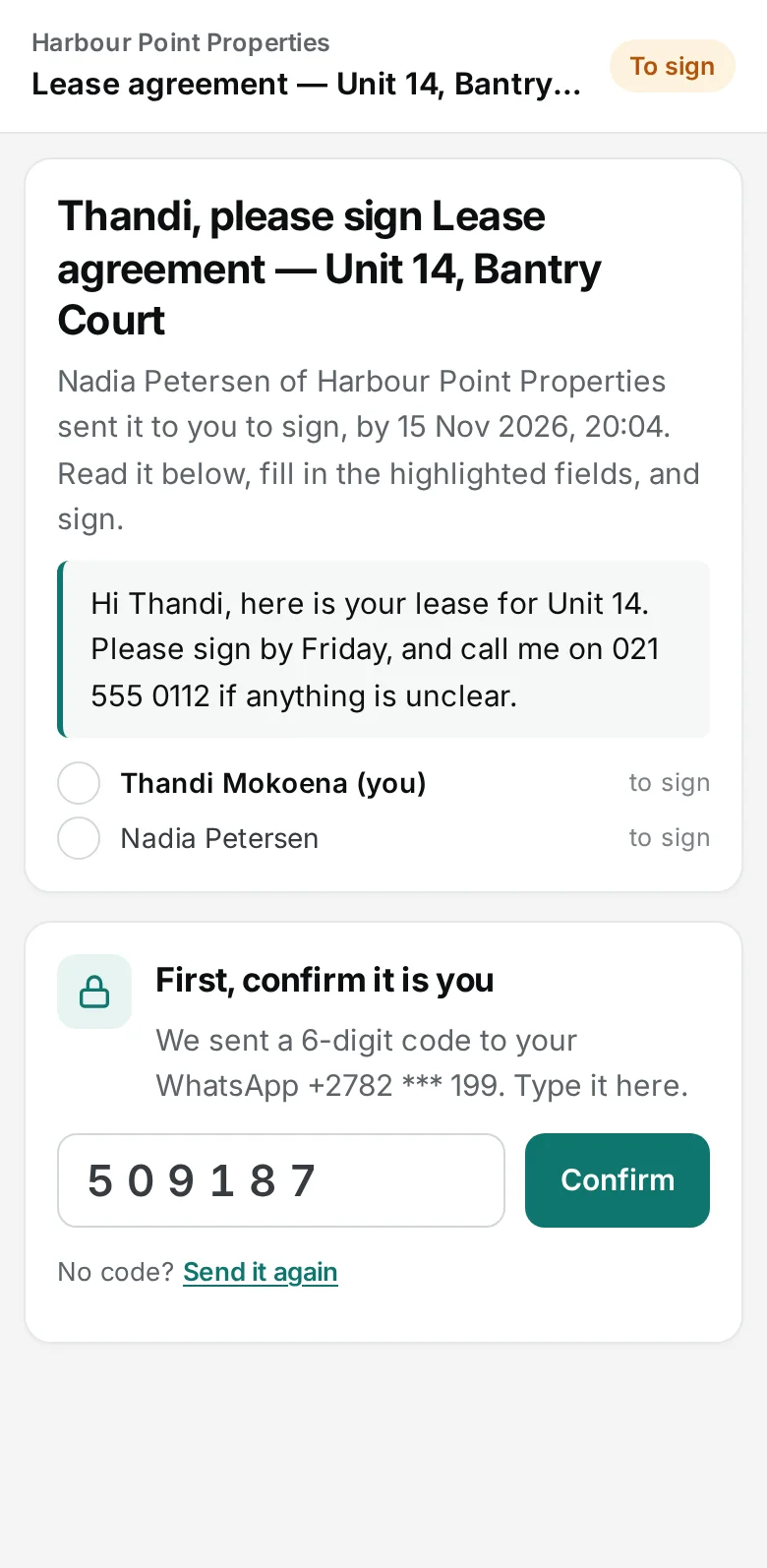
The link opens in the browser on their phone or computer. A 6-digit code to their own WhatsApp or email confirms it is them. They read the document, fill in their fields, draw or type their signature, agree to sign electronically — and they are done.
- A code to their own phone or email
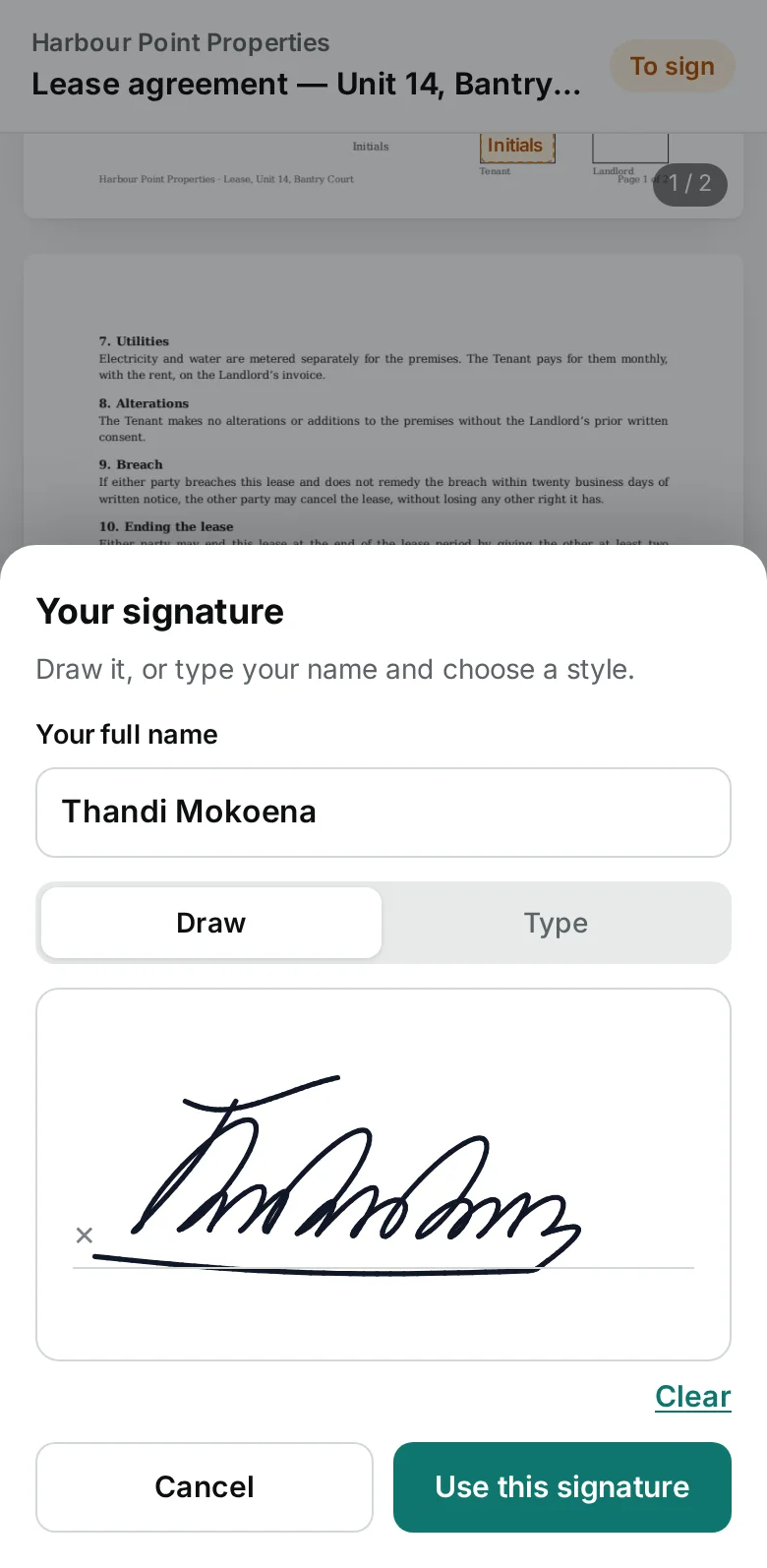
- Draw with a finger, or type and choose a style
- Their fields marked, one after the other
- Or decline, and say why
For you
Signer by signer, step by step.
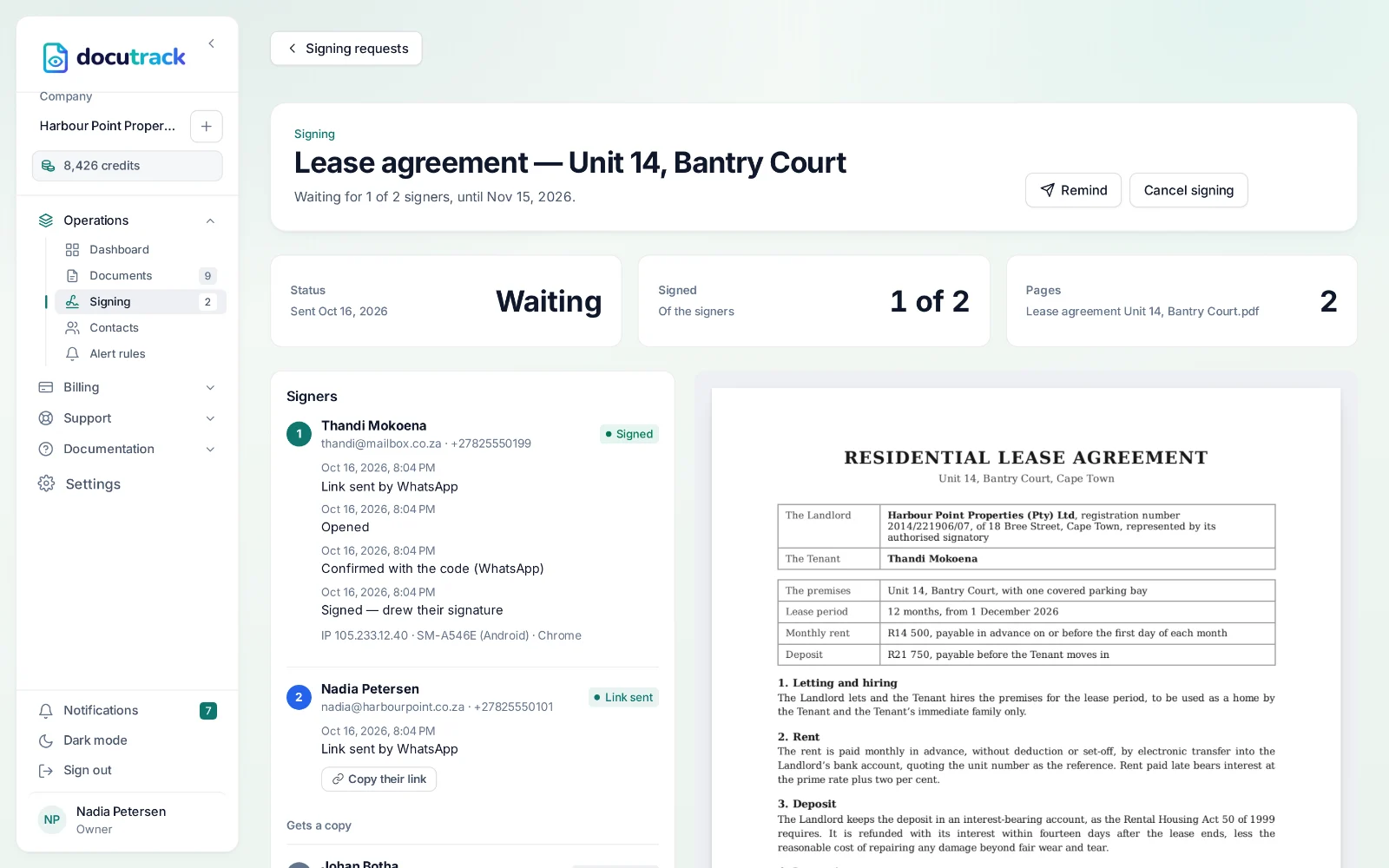
A signing request shows who has signed and who is still to sign, and the steps of each signer: when their link went out, when they opened it, when they confirmed the code and when they signed — on which device, from which internet address. Remind them, copy a link, or cancel it.
- Told as each person signs, or declines
- Reminders every few days until they sign
- In the portal, the app and the API
- Webhooks for your own systems
The signed copy
Sealed, with its signing certificate.
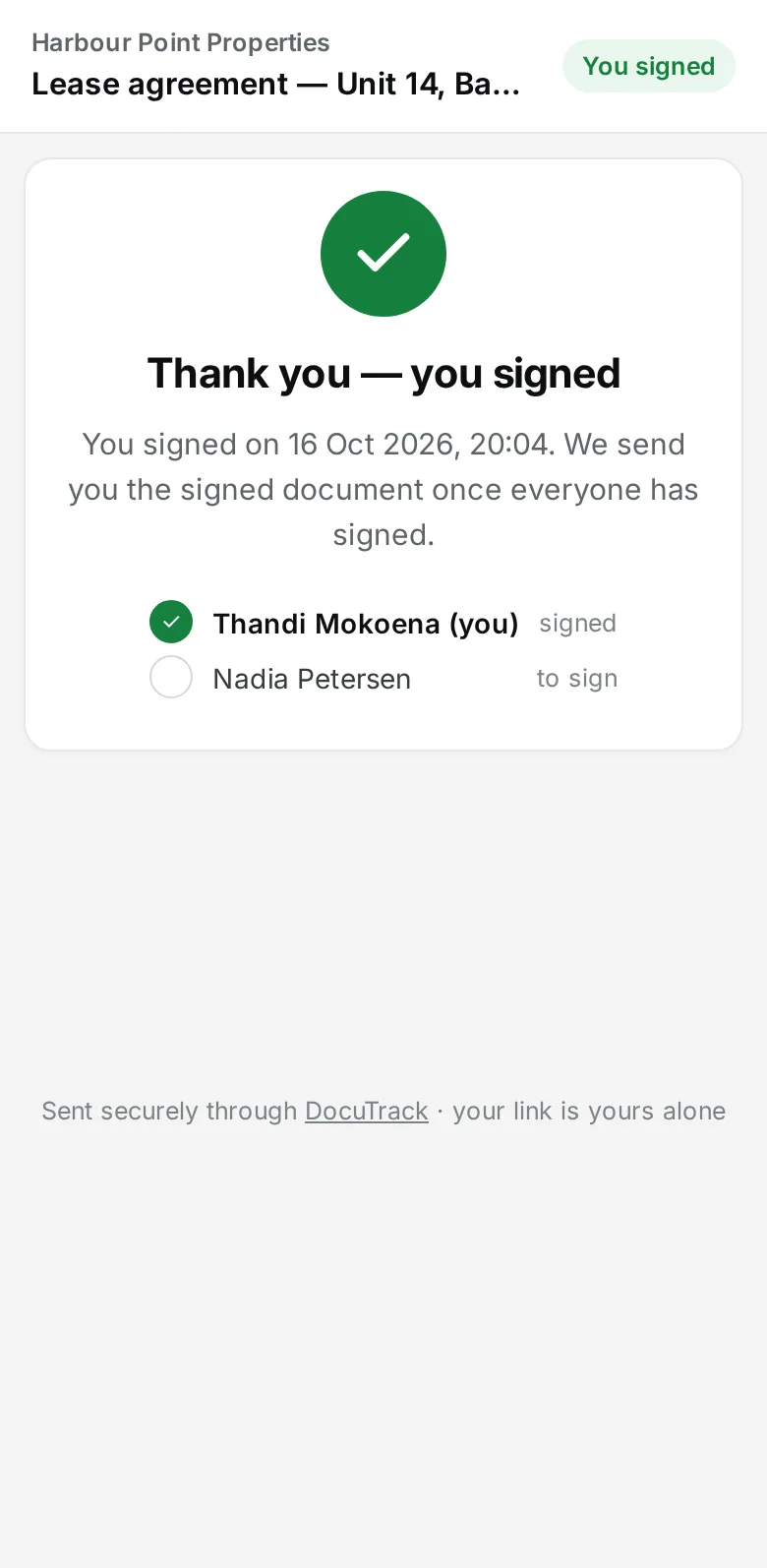
The moment the last person signs, DocuTrack puts the signatures and fields on the pages, adds the signing certificate as the last page, and seals the PDF. The signers, and anyone you copied, get the signed document.
The signing certificate
Who signed, how each was reached, how they confirmed it was them, when and from where they signed, and their signature.
A digital seal
The PDF is sealed with DocuTrack’s digital certificate and a timestamp: any change after signing breaks the seal, which PDF readers show.
The original’s fingerprint
The SHA-256 fingerprint of the PDF that was sent shows exactly which document was signed.
A public check
The QR code on the certificate opens a page where anyone can check a copy of the signed PDF, in their own browser.
On your phone
Start at your desk, follow it on your phone.
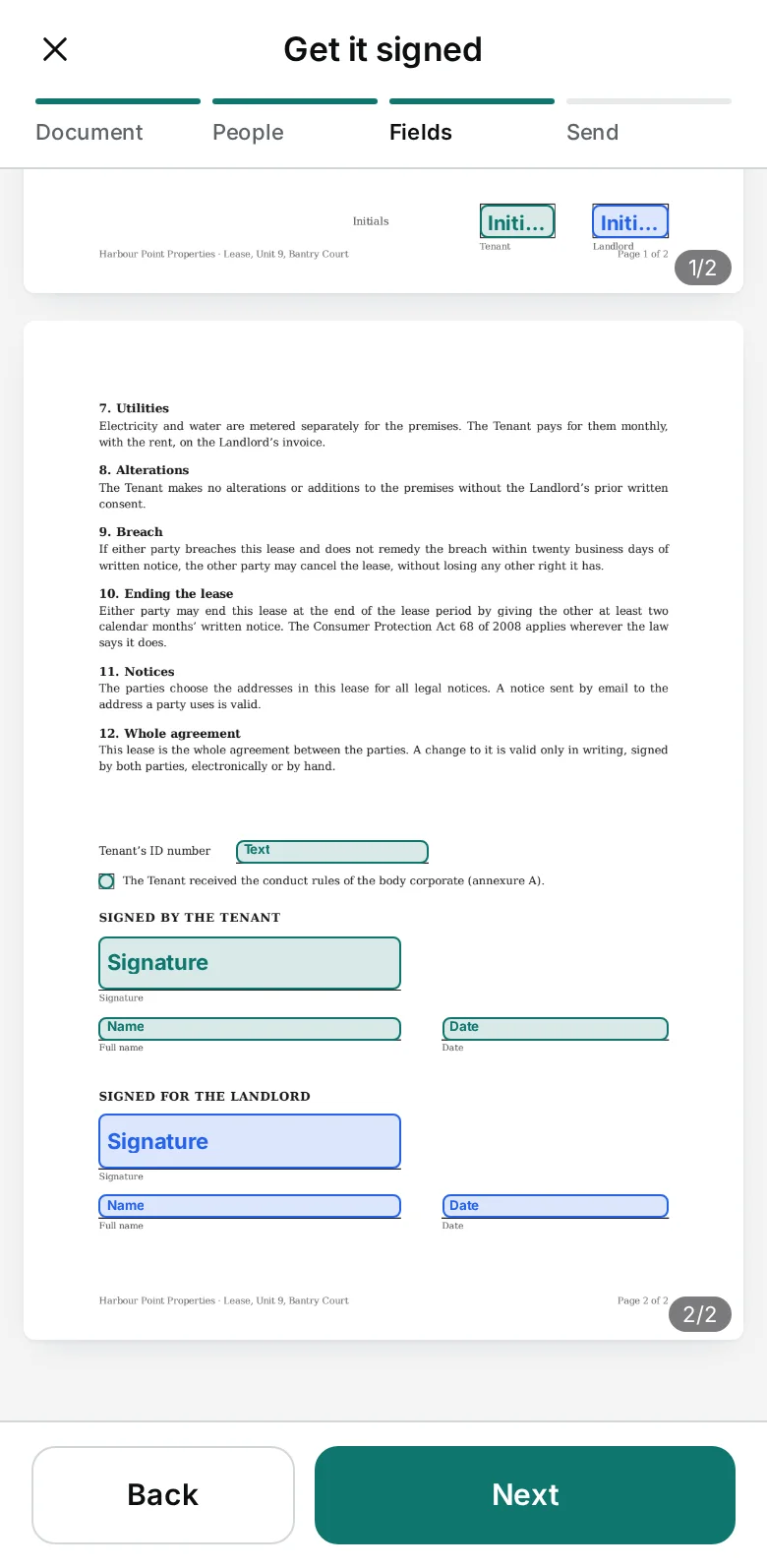
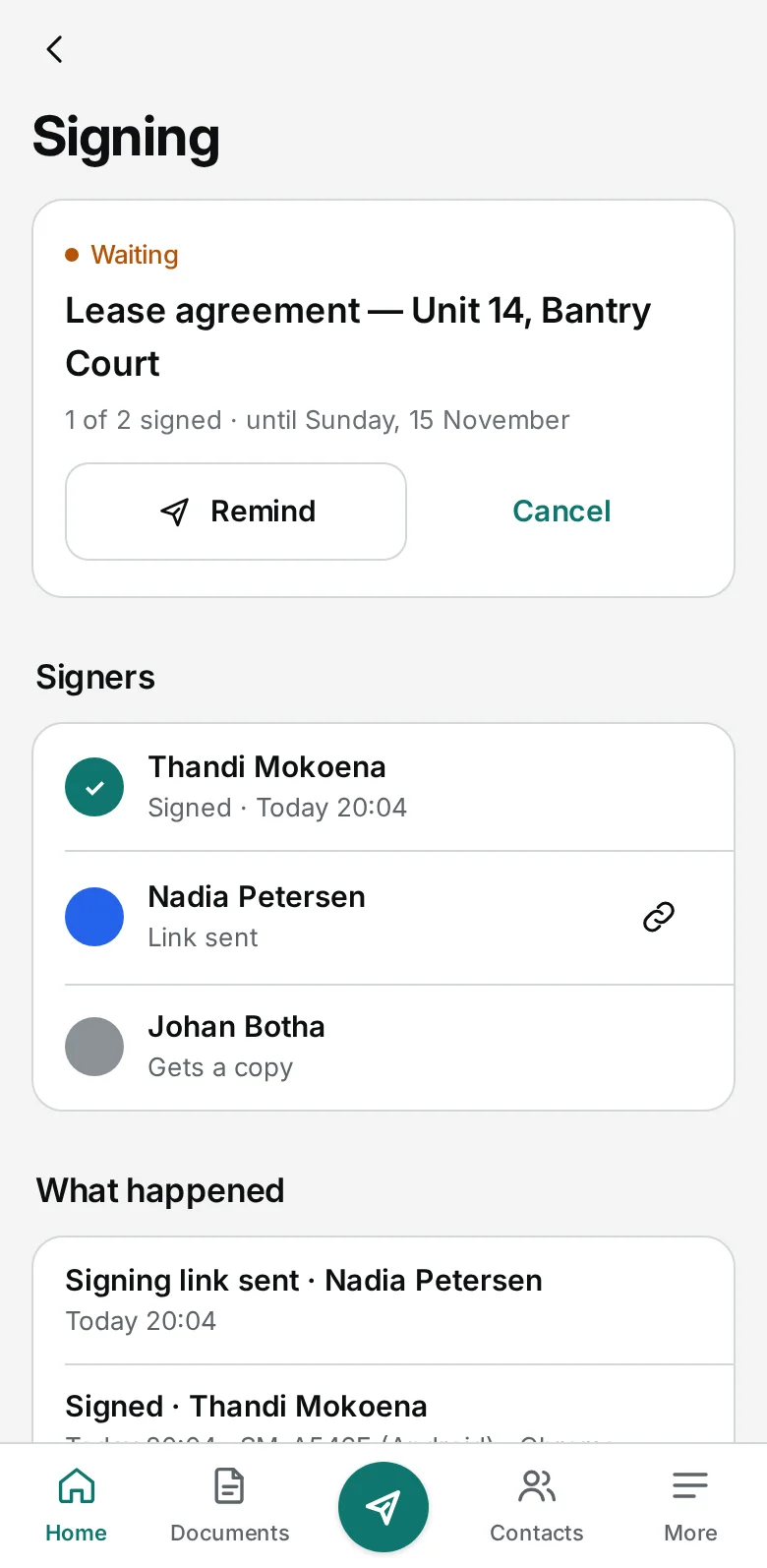
The DocuTrack app sends documents for signing in four steps — the PDF, the people, the fields and a last check — and shows the signers’ progress as it happens.
Questions, answered.
Can people sign documents online?
Yes. Upload a PDF, add who signs — all at once or one after another — and click where each of them signs, initials, dates, fills in or ticks. Each signer gets their own link on WhatsApp or by email, confirms it is them with a 6-digit code sent to their own phone or email, and signs on their phone or computer by drawing or typing their signature. When all have signed, they and anyone you chose to copy get the signed PDF, sealed, with a signing certificate as its last page.
Is an electronic signature legally binding?
In South Africa, the Electronic Communications and Transactions Act (ECTA) recognises electronic signatures, and leases, employment contracts, service agreements and most other contracts can be signed electronically. DocuTrack records the evidence: a link to each signer alone, a code to their own phone or email, their agreement to sign electronically, the time and internet address of all their steps, and a sealed document that shows any change. ECTA does not cover agreements to sell land or a house, leases of land for longer than 20 years, wills and bills of exchange, which must still be signed on paper; and where a law itself requires a signature, such as on a deed of suretyship, it asks for an advanced electronic signature from an accredited provider. If you are unsure about a document, ask your attorney.
What does it cost to have a document signed?
The same as sending a document: 10 credits with the first person, and 2 for each further signer or person who gets a copy. The codes, reminders and signed copies cost nothing.
DocuTrack’s signatures are electronic signatures under ECTA, not advanced electronic signatures. This page is general information, not legal advice: if you are unsure whether a document may be signed electronically, ask your attorney.
Works with
Get it signed today.
Send your next lease or contract for signing — on WhatsApp or by email, sealed with its signing certificate at the end.